6 Unique Pomodoro Timer and Break Reminder Apps I Actually Tried
Today, I want to do something a little different.
I've already written about the best Pomodoro timer and break apps.
Here, I want to talk about some of the most unique ones I've found, how they compare, and which ones I would personally keep using.
I've worked from home for over five years, and for the longest time, I couldn't understand why I felt so exhausted at the end of the day.
Little did I know... I wasn't taking proper breaks.
Now, I'm sort of obsessed with Pomodoro timers and break reminder apps.
Not all six apps on this list follow the traditional 25-minute Pomodoro format exactly. Some focus more on eye breaks, movement, or making healthy breaks harder to ignore.
Honestly, that's what makes them interesting.
Quick disclosure before we start: I founded one of these apps, Better Hours. I'll flag that again when I get to it, and I'll be just as honest about what it still gets wrong.
The six apps at a glance
| App | What makes it unique | Best for | My biggest downside |
|---|---|---|---|
| DeskBreak | Highly customizable browser-based break reminders | Chrome users who want lots of control | The interface feels crowded |
| NatureTimer | Nature-inspired activities and 20-20-20 eye breaks | Anyone wanting a free, health-focused timer | Limited customization and weak design |
| Breakly | Gamified micro-breaks with a cute dinosaur | People motivated by rewards and progress | It is still a very new app |
| Eye Break | Hard-to-ignore break reminders on Mac | Anyone who regularly forgets eye breaks | Notifications can feel intrusive |
| Flocus | Beautiful themes, tasks, stats, and focus modes | People who want an aesthetic focus dashboard | Some features require the paid plan |
| Better Hours | Interactive themes, custom breaks, and energy tracking | People who want one flexible browser workspace | Longer-term statistics need improvement |
DeskBreak: the most customizable Chrome extension
DeskBreak is a Chrome extension with custom reminders, different break activities, and flexible timer settings.
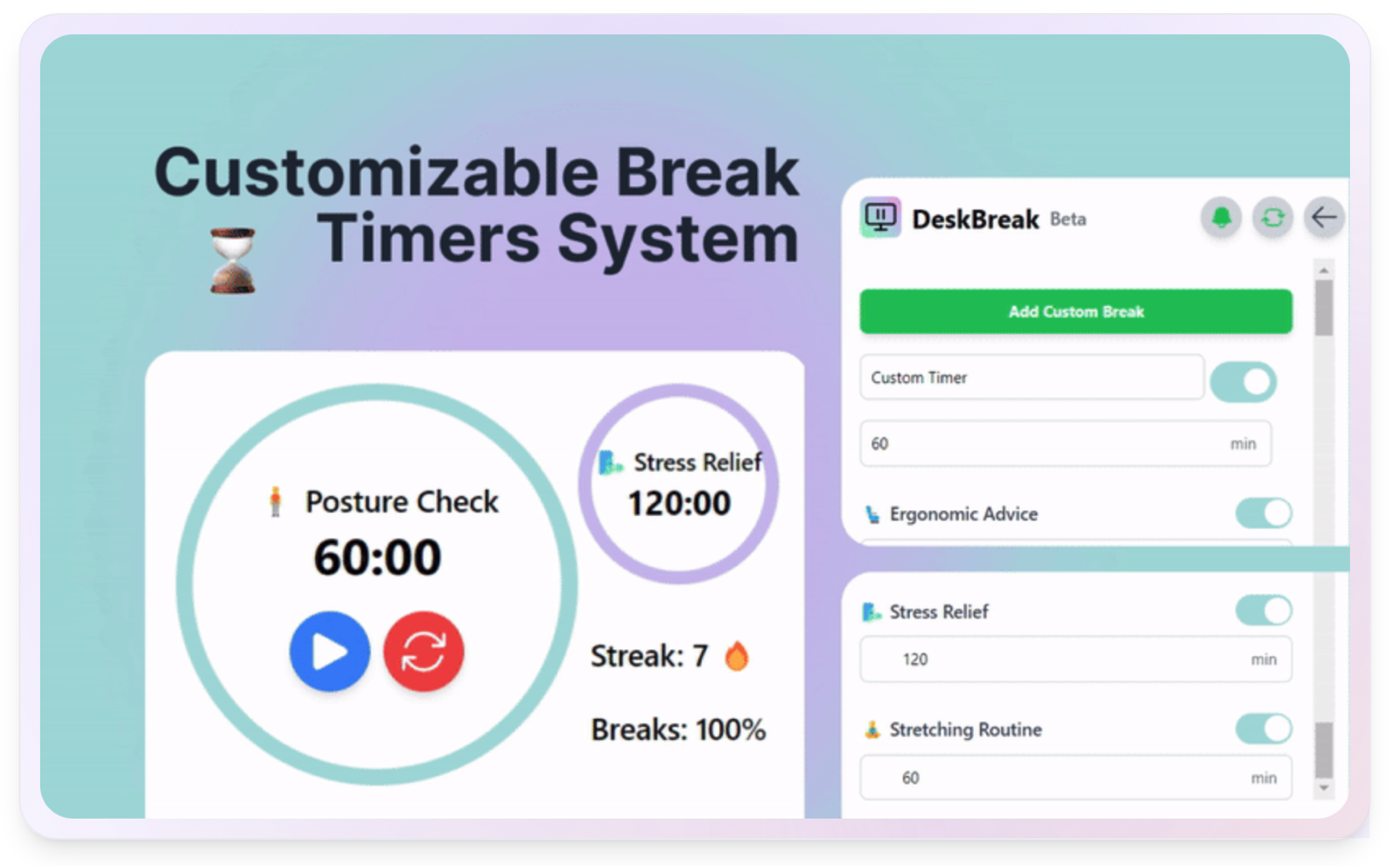
I love how customizable it is. You can build the reminders around the way you actually work instead of forcing yourself into one preset routine.
My biggest issue is the interface.
There's a lot happening on the screen, and I just can't get with the design. It feels crowded and isn't particularly nice to look at.
The personalization is excellent. In my opinion, it just needs a redesign.
What I liked: The amount of control and personalization.
What I didn't: The crowded user interface.
Would I keep using it? Maybe, but only if customization mattered more to me than design.
NatureTimer: the best free option for healthier breaks
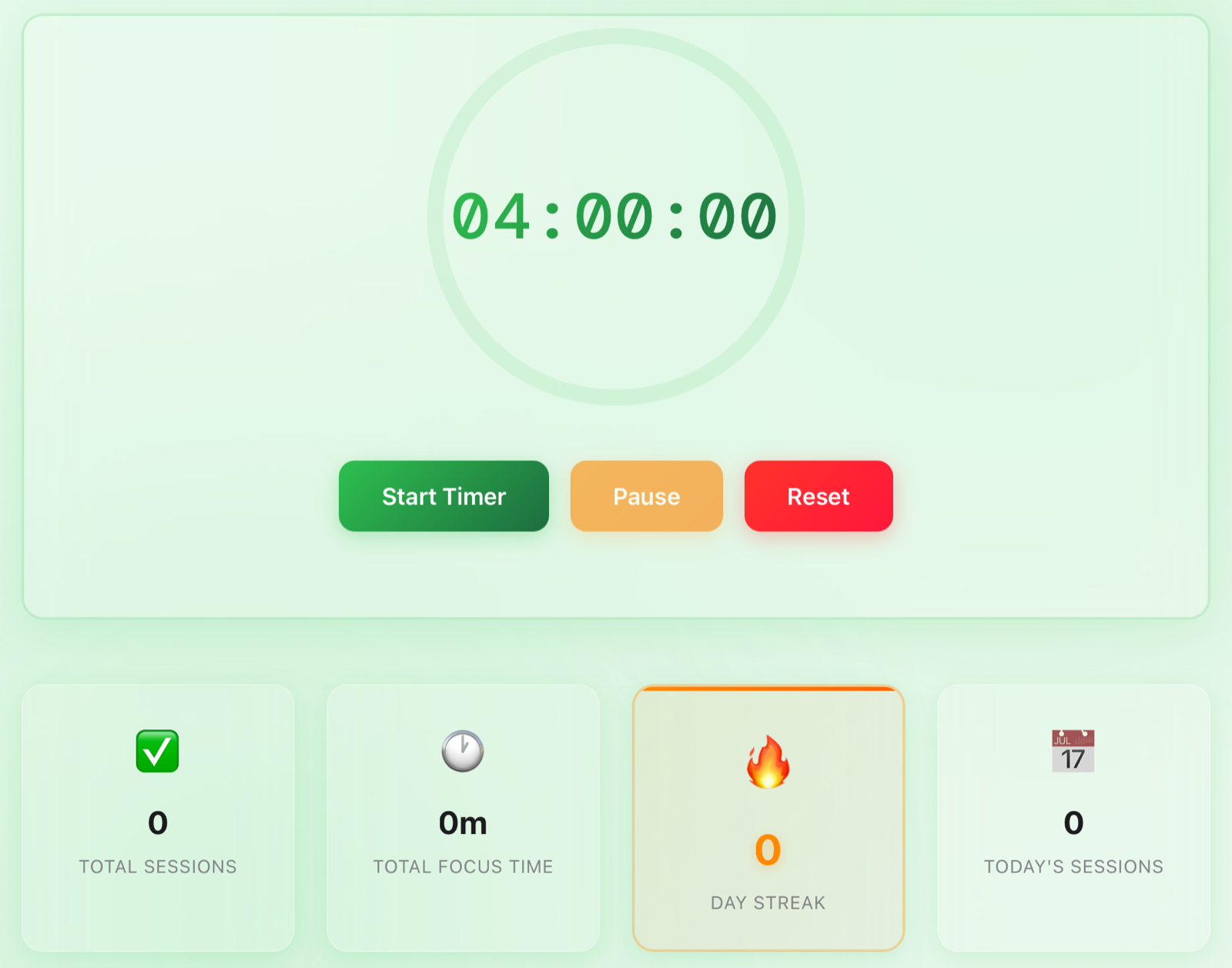
NatureTimer works right out of the box for free. It tracks your total focus time, completed sessions, and streak.
Really, for free. I love that.
What makes it different is the focus on nature-inspired break activities. It also highlights the 20-20-20 rule: every 20 minutes, look at something 20 feet away for 20 seconds.
Nobody talks about this enough, and it's essential when you spend the entire day staring at a screen.
Again, though, the design lets it down for me. It looks fairly basic, and I wanted more customization from the free version.
I love the idea behind NatureTimer. I probably wouldn't use the timer regularly, though.
What I liked: It is free, simple to start, and takes eye and movement breaks seriously.
What I didn't: The design and limited customization.
Would I keep using it? Probably not, but I'd still recommend trying it if you want a free option.
Breakly: the most fun and original break app
One app I absolutely love is Breakly.
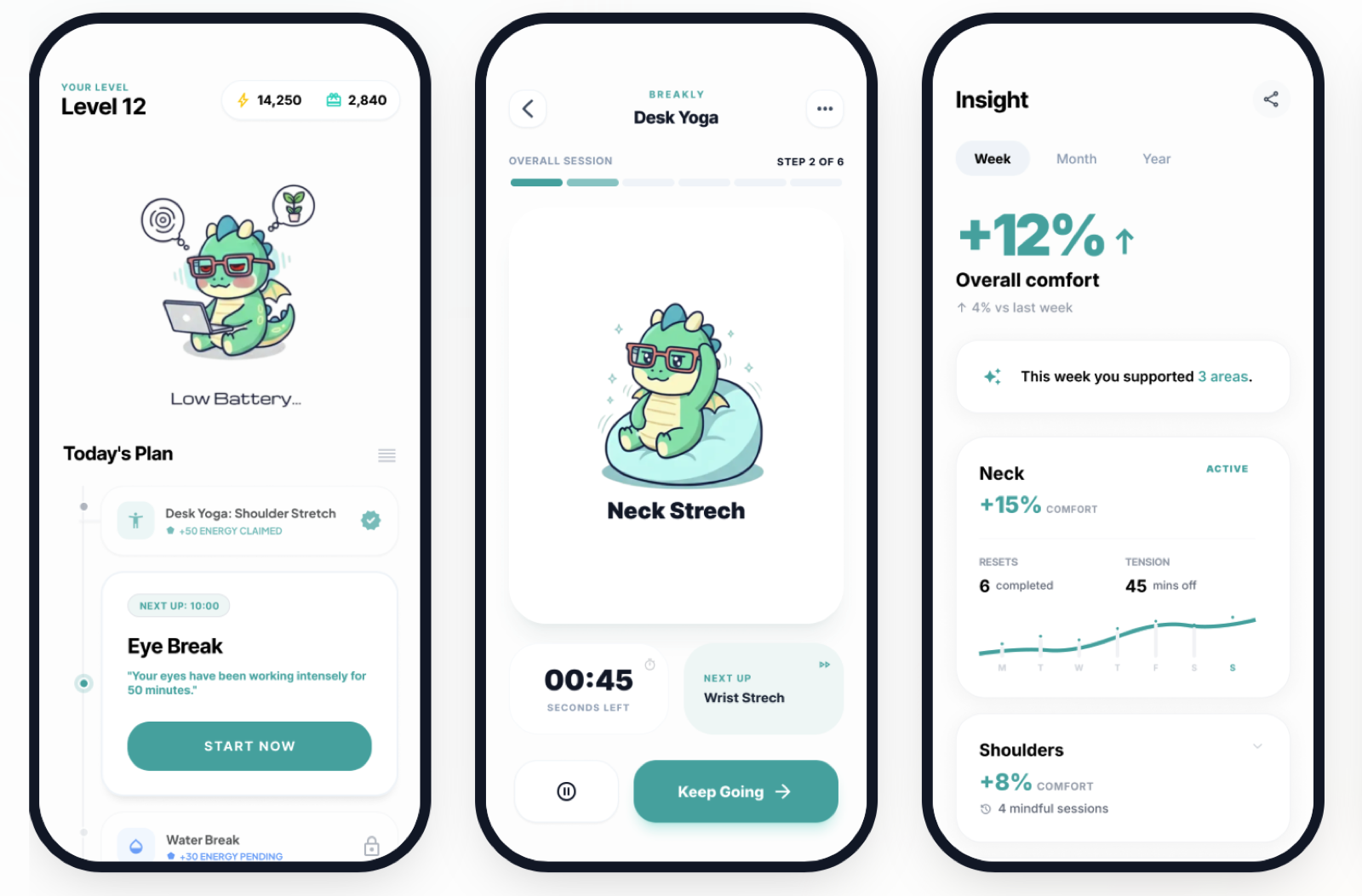
It turns micro-breaks into a game. A cute little dinosaur guides you through activities like stretching, eye breaks, hydration, and meditation.
You can also track how different parts of your body feel over time. That makes the app feel less like a timer and more like a small wellness companion during the workday.
The whole experience ties together beautifully. The interface is fun, the rewards make breaks feel satisfying, and the concept actually makes sense.
I have almost nothing bad to say about it.
The only downside is that it's still a very new app, so I'd expect the product to change as it develops.
What I liked: The gamification, dinosaur guide, wellness tracking, and beautiful interface.
What I didn't: It is new, and some parts may still feel like an early release.
Would I keep using it? Absolutely.
Eye Break: the break reminder that is impossible to ignore
I also love the design of Eye Break.
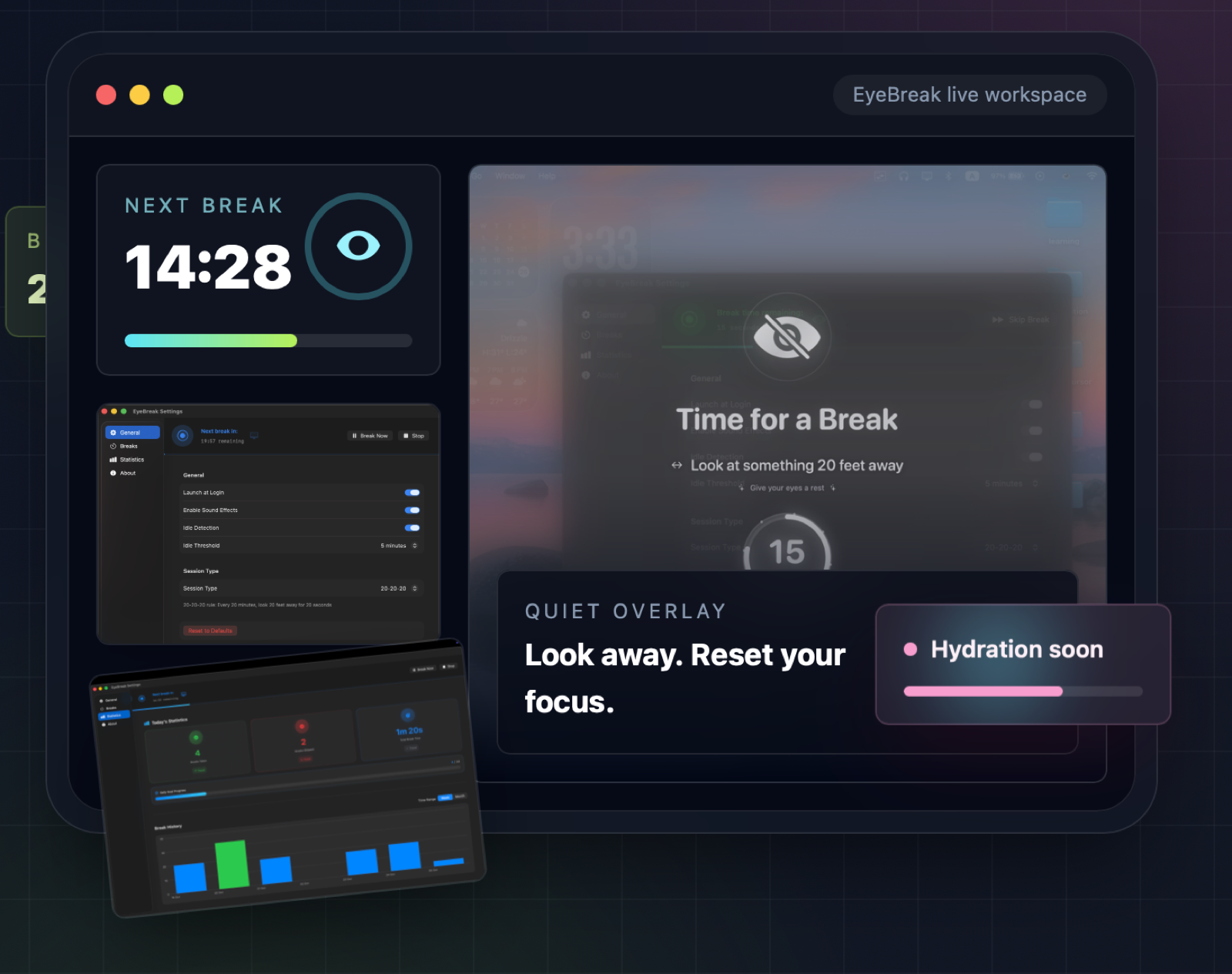
It runs directly on your Mac, which means you don't have to remember to keep a timer open in your browser. When it's time to rest your eyes, it makes sure you know.
That can also be a little intrusive.
If I'm in a meeting and a huge reminder takes over my screen, it's not ideal. Sometimes I want to delay a break without having my entire workflow interrupted.
Despite the name, it can also support other customizable breaks. I like that, although it wasn't immediately obvious to me when I started using it.
Overall, the interface looks good, it feels intuitive, and it definitely makes it difficult to forget a break.
My issue is simple: I don't want to download another extension or app, and the notifications can occasionally be a bit much for me.
What I liked: The design, customization, and reminders you can't accidentally miss.
What I didn't: The download requirement and intrusive full-screen interruptions.
Would I keep using it? Only if missing breaks was a bigger problem for me than interruptions.
Flocus: the most beautiful focus dashboard
One of my favorite apps, which I've talked about before, is Flocus.
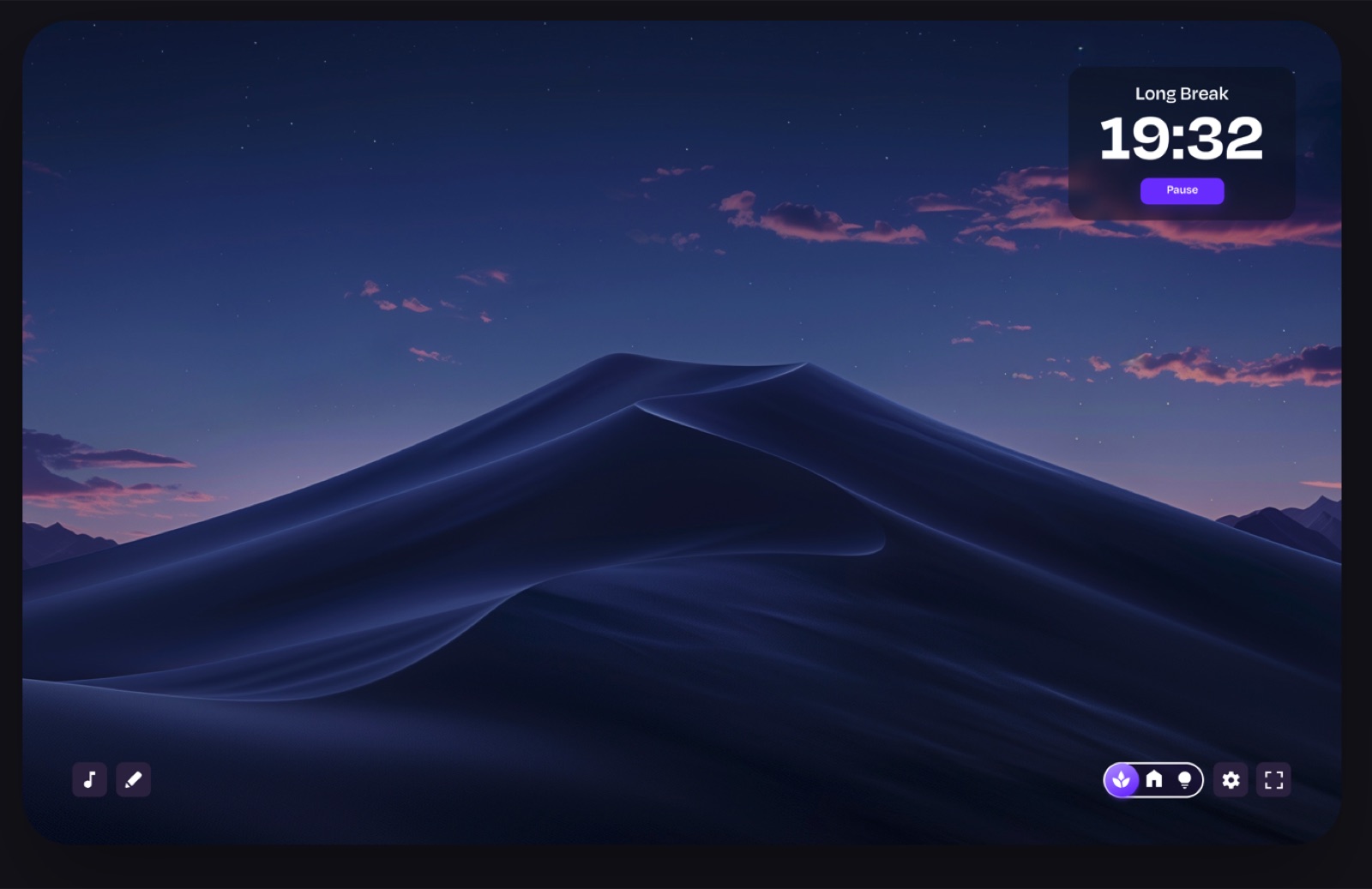
First off, it's simple, beautiful, and full of themes you can switch between.
I literally love this app.
You get priority-based to-dos, focus statistics, ambient sounds, and a customizable focus timer. It manages to include plenty of features without making the dashboard feel overwhelming.
There's honestly not much bad I can say about it. The main thing to know is that some of its themes, longer-term stats, and advanced customization are part of Flocus Plus.
Excellent job by the Flocus team.
What I liked: The themes, simple interface, priority-based tasks, and focus statistics.
What I didn't: Some of the best customization requires a paid plan.
Would I keep using it? Yes. This is easily one of my favorites.
Better Hours: the one I use every day
Another app I love is Better Hours, which I founded.
I want to be completely transparent about that. Of course I'm biased, so I'm also going to be honest about what still needs improvement.
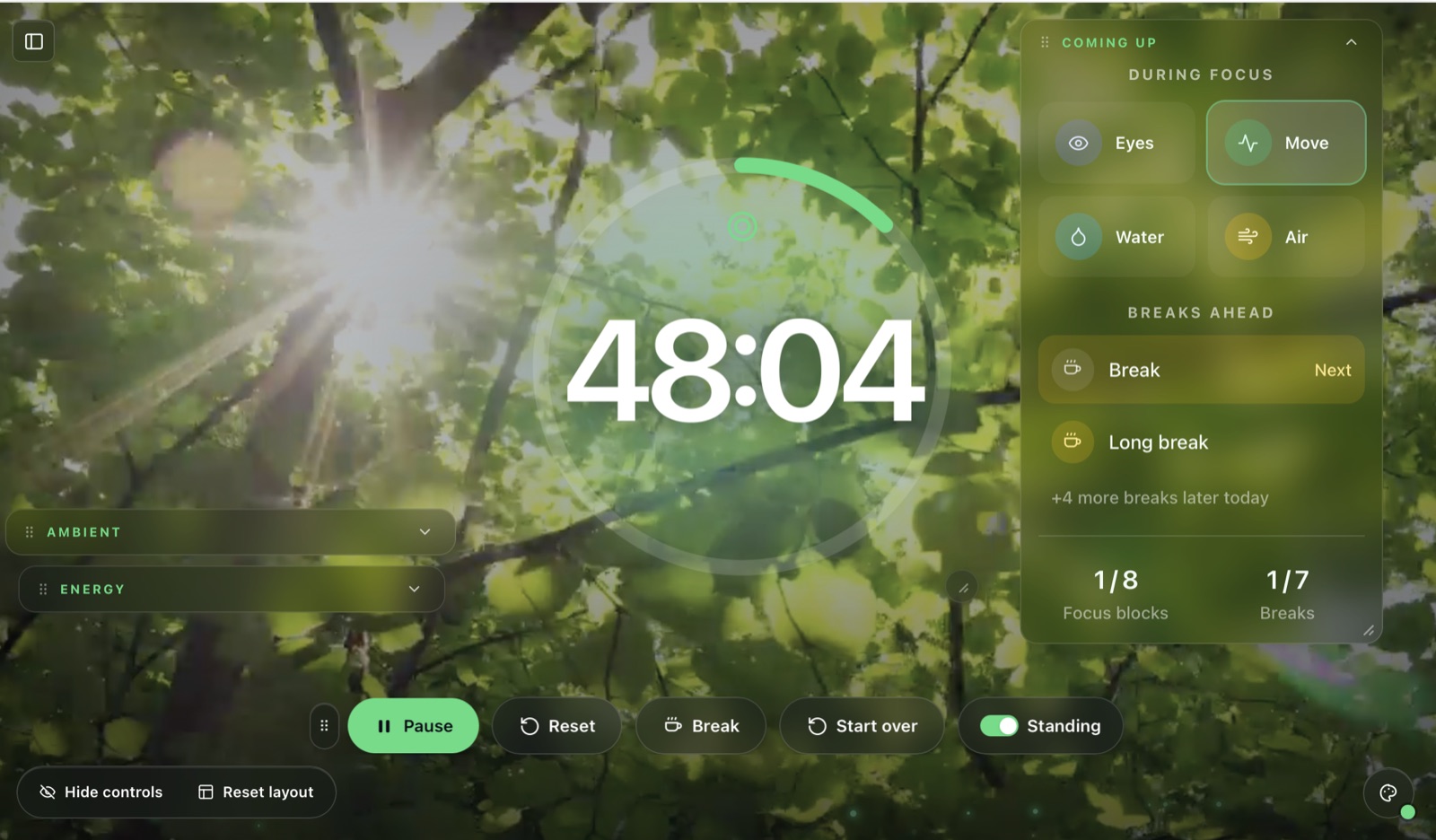
Like Flocus, Better Hours includes background themes, but they're interactive and customizable. You can move components around the screen and create a workspace that feels like your own.
The work and break times are completely customizable, and you can turn breaks on or off when needed.
You can also add a YouTube video to the screen, use tools designed for individual types of breaks, and track your energy throughout the day.
That energy tracking is a big part of why I built it. I wanted to see whether my work blocks and breaks were actually helping, not just how many sessions I completed.
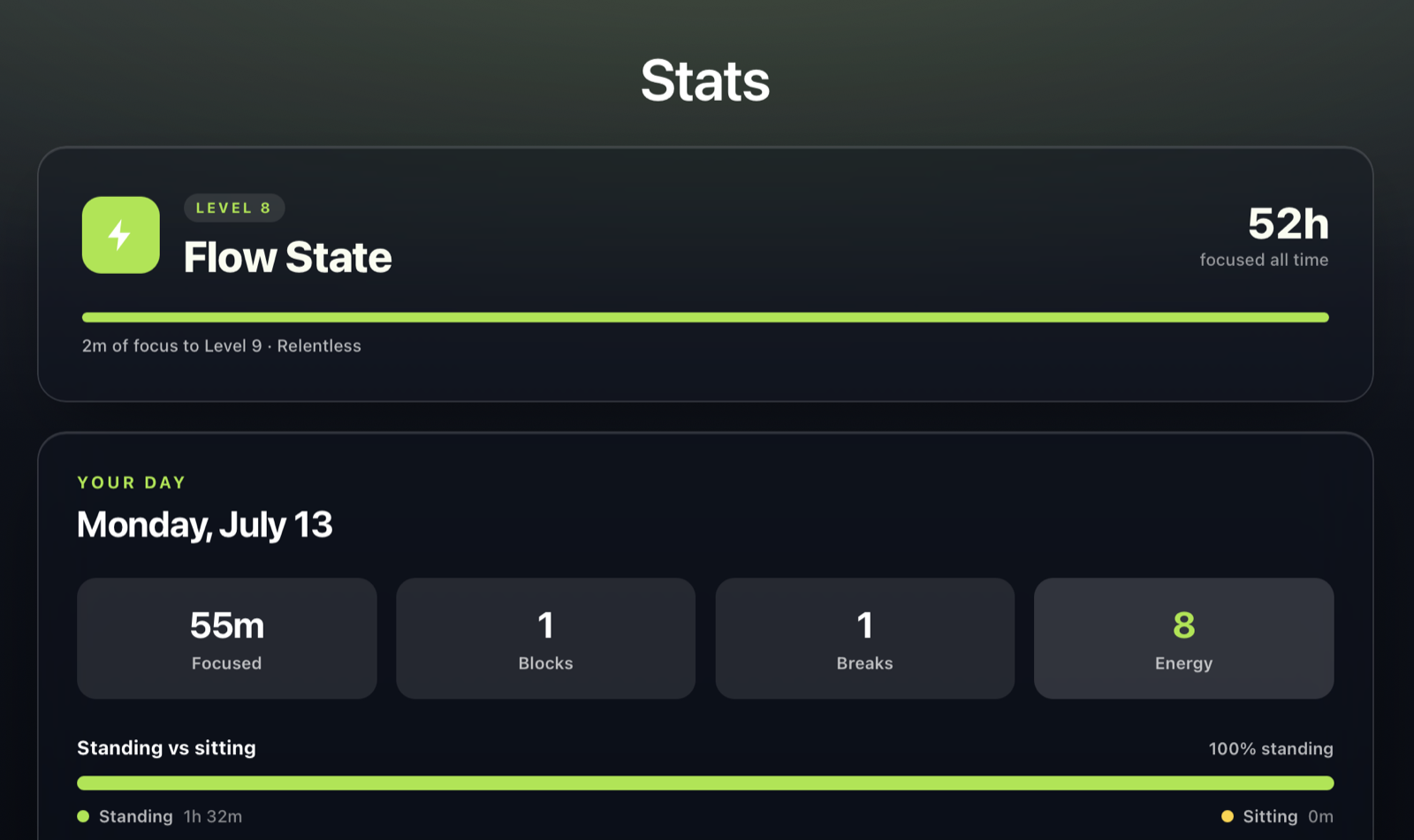
Better Hours runs in the browser, so there's nothing to download. It works on Mac, Windows, and Linux, with mobile support as well.
Now for the downside of my own app.
The longer-term statistics could be much clearer. It's easy to understand the current week, but it isn't obvious enough how your energy and other patterns are changing beyond that.
That's something I definitely want to improve.
Even with that limitation, I use Better Hours every day and haven't found a reason to change.
What I liked: Interactive themes, flexible breaks, energy tracking, custom layouts, and no download.
What I didn't: The longer-term statistics need to be easier to understand.
Would I keep using it? I already do, every single day.
Which one would I personally choose?
If I had no connection to any of these products and had to choose one purely as a user, I'd probably start with Breakly.
It's the most unique app here, and it makes taking a break feel like something you actually want to do.
Flocus would be my choice if I cared most about having a beautiful focus dashboard.
For my own workday, I use Better Hours because I want more control over my break schedule, workspace, and energy tracking, and, yes, because I built it around the way I personally work.
That doesn't make every other app wrong. It just means the right timer depends on what normally stops you from taking a break.
If you ignore subtle notifications, Eye Break may be exactly what you need.
If you want something free and health-focused, try NatureTimer.
If you love customization, try DeskBreak.
The best app is ultimately the one that helps you step away from your screen before you're completely exhausted.
Frequently asked questions
What makes a Pomodoro timer app unique?
Most timers count down work and break sessions. The more unusual apps add something meaningful, such as guided movement, eye-care reminders, gamification, interactive themes, energy tracking, or hard-to-ignore break screens.
Are all of these traditional Pomodoro timers?
No. Some follow the Pomodoro structure, while others are broader break-reminder or workplace-wellness apps. I included them because they solve the same problem: helping you focus without forgetting to recover.
What is the best free option?
NatureTimer is the clearest free starting point from this list. Check the current product pages before publishing or buying, since pricing and plan limits can change.
Which app has the best design?
Flocus has my favorite focus-dashboard design. Breakly has the most playful design, while Better Hours offers the most flexible workspace customization.